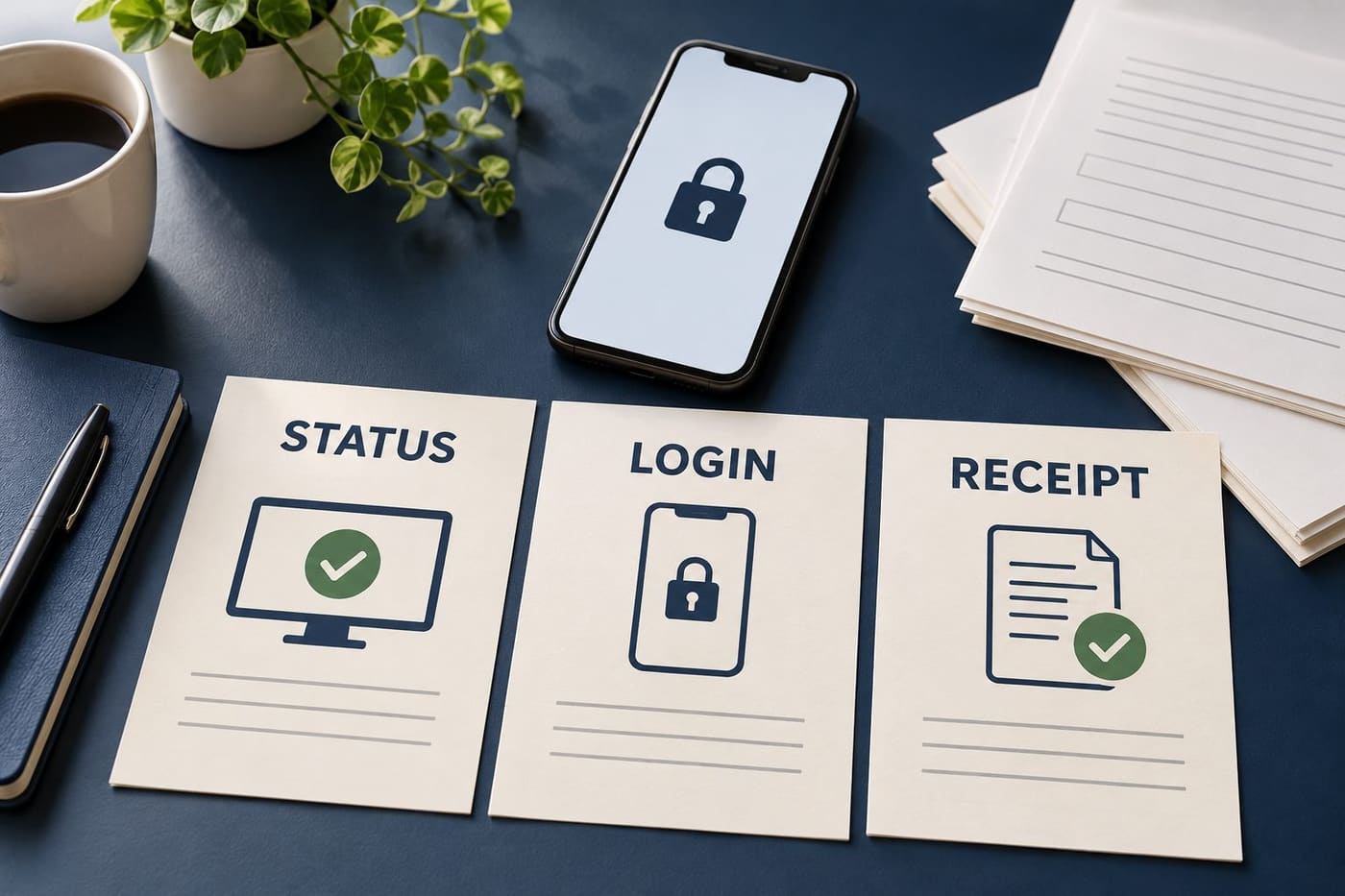
An old DigiD outage headline does not tell you whether the service is unavailable now, and a working login does not prove that a particular application was submitted. These are separate questions. Keeping them separate helps you decide what to check next without unnecessarily changing an account or repeating an uncertain transaction.
On 31 October 2026, the directly retrieved Logius status page said there were no current outages. IPLO's notice for the environmental-planning system carried a 30 October update saying its DigiD login problem was resolved. Those are dated service statements, not the results of a personal login or an audit of anyone's application.
Begin with the official status and its date
The [Logius outages and maintenance page](https://www.logius.nl/storingen-en-onderhoud) is the primary place to check published information about its services. During this research, an indexed result still displayed the resolved 30 October DigiD and DigiD Machtigen incident; the directly opened page subsequently showed no current outages. That difference illustrates why a search extract should not be treated as a live status dashboard.
Read the named service and the state of the notice, not just a prominent word meaning “outage.” A resolved incident, scheduled maintenance and an ongoing problem describe different situations. An archive entry also concerns its own period rather than every later login attempt.
Record when you checked the information. If you reopen it later, allow for a change instead of treating a screenshot as permanent. A status page describes known service conditions at its update; it cannot establish that every device, account or connected organisation is functioning for every user.
No login was attempted for this article. The finding is limited to what the public pages displayed during research on 31 October, around 05:24–05:26 UTC. It is not a promise of uninterrupted availability after publication.
A connected organisation has its own information
[IPLO's DSO outage page](https://iplo.nl/digitaal-stelsel/storingen-onderhoud-release-informatie/storingen/) has a specific 30 October entry saying the DigiD login problem in the production environment was resolved and login was possible again. That is useful corroboration for the service it describes, rather than evidence about every Dutch government website.
If a problem occurs after you return to a municipality or another organisation, check that organisation's own notice too. Identify whether you are still trying to authenticate or have reached a form, upload or confirmation stage. Different stages can need different help, even when the same identity method appears in the journey.
An original hypothetical example is Noor opening a local service through its official website. She reaches its form but cannot save an attachment. That observation does not by itself demonstrate a national DigiD outage. She needs to describe the attachment problem and the stage where it occurred, without converting it into a diagnosis she cannot establish.
The example is invented. No municipality's form, attachment handling or availability was tested. It shows a way to ask a precise question rather than attribute every unsuccessful task to the same component.
Keep service status, authentication and receipt in different columns
A small personal note can prevent three kinds of evidence from merging. One column records the public service status you read. Another records what happened during your own login. A third records any confirmation supplied by the organisation receiving your form.
For a fictional application, “the status page shows no current outage,” “I reached my account” and “I have a dated submission confirmation” are three different observations. Only the last refers to a receipt for that particular application, and its wording still needs to be read. A draft reference, upload confirmation and final submission acknowledgement should not be assumed to mean the same thing.
If you are uncertain whether an action completed, use the receiving service's own instructions or help channel before repeating it. Do not infer that everything was lost from an error page, or that everything succeeded because a page briefly appeared. Preserve the messages you actually received.
This is a general evidence method, not a description of one standard government workflow. Different services use different confirmation processes. The article does not certify a submission, payment, deadline or legal receipt for any reader.
Planned maintenance needs the correct environment
The Logius page retrieved on 31 October listed DigiD preproduction maintenance for 2 November, 18:00–22:00, and production maintenance for 9 November, 00:00–06:00. These are the local dates and times printed in that notice. They are scheduled entries to recheck, not evidence that a problem was occurring at the research time.
The environment label matters. Do not turn a notice for preproduction into a claim that ordinary public login is closed for that entire period. Likewise, a production notice deserves attention when planning a task that depends on it. Do not remove the date or environment when sharing a notice with someone else.
For an original planning example, a person sees a maintenance start at 18:00 and tells a relative that “DigiD is off tonight.” Without the service, date and environment, the message is incomplete. Sharing the official link with those fields intact is more useful than passing along a broad warning.
No maintenance window is guaranteed here to proceed unchanged or finish at exactly the scheduled second. Review the current notice before relying on the period for a real task.
Match troubleshooting to the message you see
The official [DigiD app guidance](https://www.digid.nl/en/login-methods/digid-app) separates problems such as time-outs, QR scanning, app opening and ID checks. Its time-out suggestions include keeping the app, operating system and browser updated and using automatic date and time settings. Different instructions address different symptoms.
Start by reading your exact message and finding its matching section. A camera-scanning difficulty is not automatically a forgotten PIN. A page that cannot continue after inactivity is not necessarily a revoked account. An instruction intended for one device or login method should not be applied indiscriminately to another.
Our practical suggestion is to make one relevant, understood adjustment at a time and keep a note of what changed. If you alter several settings together and the result differs, you may no longer know which mattered. Avoid copying a long forum checklist merely because its first line resembles your problem.
This guide has not tested the official troubleshooting procedures on a real DigiD account or device. It does not recommend disabling security protections, changing certificates or resetting an identity account as a generic response to a past service outage. Use the appropriate official instructions and seek help where the required step is unclear.
An alternative login must actually be available to you
The DigiD guidance describes different activation and login arrangements, and notes that some organisations require an ID check. A fallback offered in one situation is not proof that every reader has it configured or that every organisation accepts it at the required level.
Before relying on an alternative, check the options shown in your own legitimate login journey and the receiving organisation's requirements. Do not borrow another person's credentials or try to work around an identity check. Getting to a page by an unauthorised route would not resolve the underlying task appropriately.
In an invented example, Noor remembers using an SMS option for a different service months earlier. That memory does not establish what the present service offers or requires. She should use the current official process, and ask about an approved alternative if the required method is not available to her.
The purpose is to avoid assumptions about account configuration. No new login method was activated, no identity document was scanned and no account settings were changed for this research.
A surprise “repair” message deserves a separate security check
DigiD's [guidance on recognising fake messages](https://www.digid.nl/en/security/recognise-fake-message) warns about frightening demands, suspicious links and QR codes. It states that DigiD messages do not contain a link or QR code and that employees will not ask for login credentials. An outage-related story is not a reason to relax those checks.
If an unexpected message urges you to restore access through a link, do not assume that it is part of the service recovery. Open the official website independently and follow its security guidance. A familiar logo, urgent tone or accurate reference to recent news does not establish the sender's identity.
Keep two situations distinct: a service failing to respond and a concern that credentials have been exposed. The first does not prove the second. Conversely, if you entered information on a suspicious site, do not dismiss it merely because a real outage also occurred; use DigiD's dedicated official security instructions promptly.
No phishing message was opened, tested or submitted for this article. The examples describe risks to recognise, not a finding that a particular reader or government service was compromised.
Ask the right organisation without sharing secrets
The official [DigiD contact page](https://www.digid.nl/en/contact) provides a route to its help information and contact form. For uncertainty about a receiving organisation's application status, use that organisation's established support route as well. A question about your form's acknowledgement is different from a question about opening the identity app.
A useful original support note might say: “I reached the organisation's form at approximately 14:10, then received this error before any submission confirmation appeared. How can I check whether the form was received?” The description supplies the stage and observed result without inventing a cause.
Keep PINs, passwords, pairing codes and identity-document details out of ordinary messages and public discussion. Share only what the official support process requires through the proper channel. A screenshot can need careful cropping or redaction before it is suitable to share.
No contact form or support message was sent during this research. The suggested wording is a fictional example, not evidence that a particular helpdesk has accepted a case or made a decision.
If a deadline matters, preserve the facts
When a task has a deadline, record the time, the service used, the action attempted and the exact message. Retain any genuine acknowledgement and relevant official notice. Avoid editing the history until a failed attempt starts to look like a completed submission.
Ask the organisation responsible for the deadline what process applies if you could not complete the task. Do not assume that a national service incident automatically extends every deadline, waives a penalty or creates an alternative filing route. Those outcomes require their own confirmation.
For an original hypothetical example, Noor has a draft saved and a public resolved-outage notice, but no final acknowledgement. Her note should say precisely that. Calling the task “submitted” would overstate the record; saying “everything disappeared” would also go beyond what she knows. An accurate account gives the receiving organisation something clearer to investigate.
This article does not determine legal timeliness or replace professional advice where a deadline has serious consequences. It offers a practical way to preserve the facts without fabricating a result.
A short recovery checklist can remain useful
Start with the current official status and the correct service. Check the date, incident state and environment. Then identify where your own task stopped and follow the matching official guidance. Once you regain access, look for the receiving organisation's actual confirmation rather than assuming that recovery completed unfinished work for you.
Keep a simple list of unresolved questions rather than repeating every step blindly. One might concern login, another an attachment and another the final receipt. Resolve the question supported by the evidence you have, and leave the others marked unknown until the appropriate record or answer arrives.
Our guide to [browser camera and microphone permissions](https://monetizearticle.com/article/browser-video-calls-check-camera-and-microphone-access-one-layer-at-a-time-44118b) uses a similar method of separating layers when diagnosing a different problem. Its video-call instructions are not DigiD account procedures and should not be substituted for the identity service's own guidance.
Conclusion
After an outage, the most useful distinction is between a public service notice, your own ability to log in and evidence that a particular task completed. Check each at the appropriate source. Keep old incidents dated, planned maintenance scoped to its environment and unexpected messages subject to the usual security checks.
A resolved notice is reassuring information about the service it names. It is not an application receipt, a universal device diagnosis or a deadline extension. Clear records and a focused question help you move forward without inventing any of those outcomes.
Sources and research note
Research checked 31 October 2026, around 05:24–05:26 UTC, from Logius's public status page, IPLO's resolved-login notice and DigiD's app, fake-message and contact pages. The indexed Logius result still showed the resolved 30 October entry while direct retrieval showed no current outages. Exact earlier incident start and end times are omitted here rather than treating a search extract as a fresh operational measurement. No cause such as DDoS or data theft is asserted from the trend breakdown or secondary headlines.
Google Trends Netherlands displayed “storing digid” third in its retrieved Past 24 hours, All categories, All trends list sorted by search volume descending: 10K+, 1,000% growth and Active. The first row, “streamer,” did not identify a verifiable specific event in this research. The second, an Intratuin Duiven incident, was set aside because accessible primary confirmation and enough suitable detail for this long-form slot were not established. Those substitutions are disclosed; active search interest is not a claim of an active outage.
All Noor scenarios, personal worksheets and suggested messages are original hypothetical examples. The builtin AI-generated conceptual illustration shows generic status, login and receipt materials, not a government interface or real record. Limited exact-title and phrase searches returned related or unrelated material without an exact matching article observed; no exhaustive similarity, human-authorship, security or search-performance guarantee is made.