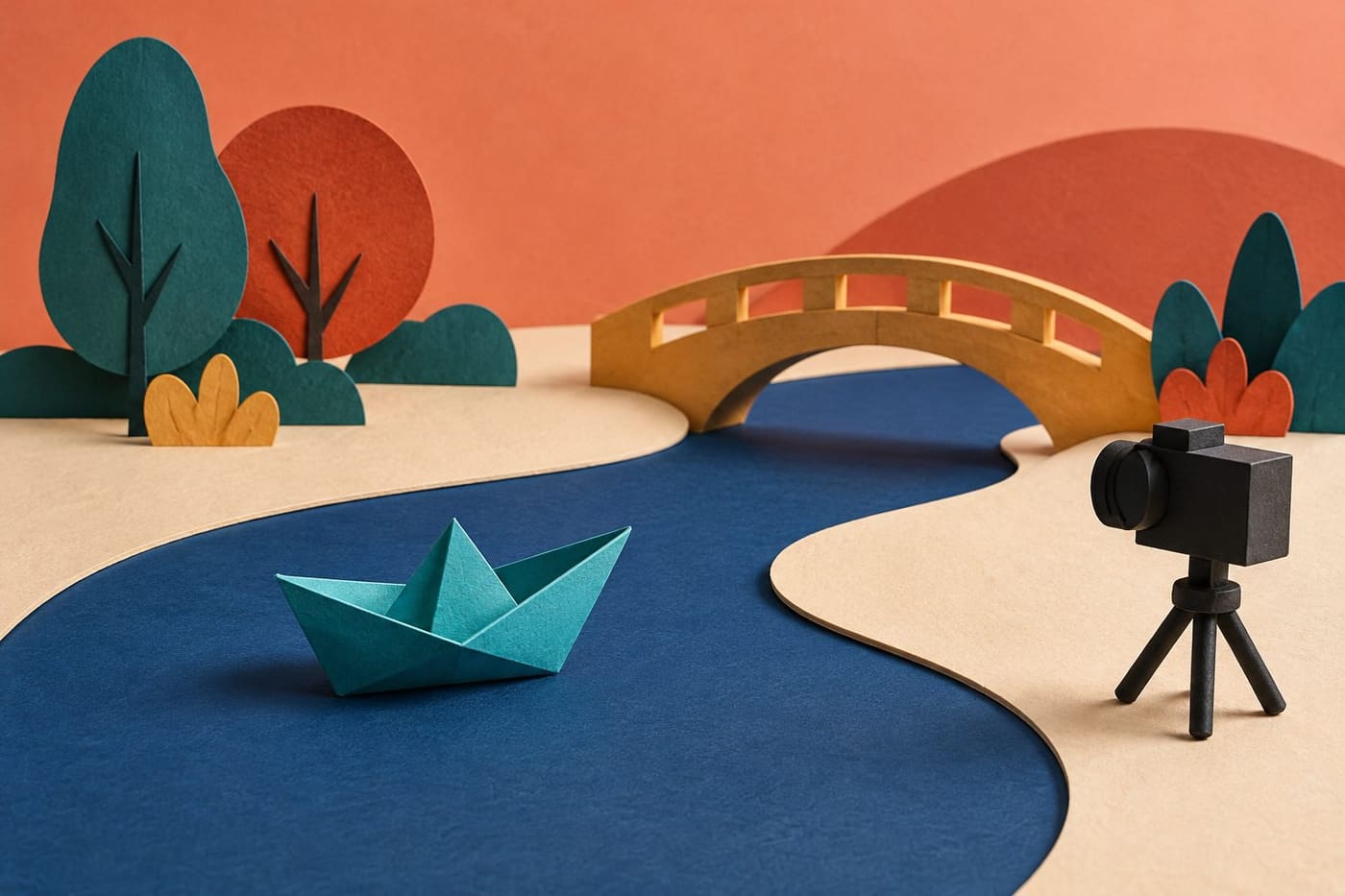
A paper boat crosses a strip of blue card. It stops before a bridge, turns, and finds another route. Nothing on the table moves by itself, yet a sequence of still images can give that small object a purpose. Stop-motion animation makes this transformation possible through changes arranged between photographs. The pleasure is not only in seeing an object move. It is in making the movement mean something.
A first project does not need a crowded miniature world or a long script. It needs an action that a viewer can follow and a practical way to capture it consistently. This guide uses primary educational and production sources checked on 1 November 2026, together with an original planning exercise. It does not report a film made or equipment tested by this publication. The boat story below is an invented example you can adapt into your own idea.
Begin with an action rather than a collection of props
It is tempting to start by gathering every interesting object on the desk. A colourful set can look promising while still leaving the central question unanswered: what happens? Describe one action before building its surroundings. Give the object a simple intention and an observable result.
For the invented boat story, the intention is to travel along a paper river. The difficulty is a low bridge. The result is a turn towards an open passage. These are visible changes, so the idea does not depend on a narrator explaining an elaborate history. A viewer can understand the problem by watching the relationship between boat and bridge.
That is a useful limit for a first attempt. You can still make choices about humour, suspense or disappointment, but each choice has a clear job. A decorative tree or extra character should earn its place by helping the action read. Leave it out if it only creates another thing that can fall over between photographs.
Understand the relationship between the still and the sequence
ACMI's stop-motion learning resource explains movement as small changes captured one image at a time. Its practical guidance includes planning a simple story, keeping the camera steady, maintaining consistent light and reviewing playback. It also describes onion skinning, a software feature that can show a previous frame alongside the current view.
The individual still and the assembled sequence therefore need different kinds of attention. A still may be attractively composed while the action between stills is unclear. Conversely, an unremarkable object can become engaging when its movement has a readable direction, pause and consequence.
Think of each photograph as a decision about a moment rather than as proof that progress has been made. The sequence is what the viewer experiences. Periodic playback helps connect the work on the table with that experience, so that an unnoticed jump does not become part of a much longer section before you discover it.
Choose a material that supports the intended action
Flat paper shapes suit some stories; three-dimensional models suit others. A paper boat seen from above can follow a flat route without needing to balance on real water. A model turning towards the camera introduces different questions about stability, shape and the visible background.
Film Education's animation techniques resource distinguishes cut-out work from model animation and explains the repeated positioning and photographing involved. It is an older teaching resource, useful here for those basic distinctions. Its historical production figures and cost comparisons are not used as current industry benchmarks.
Choose for the movement you want to achieve, not because one material sounds more professional. If a shape must bend, turn or separate, try those physical changes before committing to the set. An object that cannot hold the necessary position may need a simpler action. Solving that problem early is more useful than discovering it halfway through a carefully assembled sequence.
Draw the few moments the audience must understand
A storyboard can be rough. Its purpose is to make the important changes visible before capture begins. For the boat example, sketch the starting route, the approaching bridge, the pause, the turn and the clear route beyond it. Write a short note beneath each sketch about what the viewer needs to notice.
These drawings are not a demand to predict every tiny movement. They establish the relationship between the beginning and the ending. If the final image does not resolve the original intention, you can see that on paper before spending time on photographs.
Look especially at the obstacle. Does it appear early enough for the pause to make sense? Is the open route visible when the boat chooses it? A story can become confusing when the maker knows the set's geography but the audience has never been shown it. The storyboard lets you ask that question without defending work already completed.
Frame the action, then protect the frame
Set the camera where the required action can be seen. Check the edges of the image as carefully as its centre. A hand, loose cable or unrelated object can enter at the edge even when the boat itself is perfectly placed. Remove distractions before capture rather than assuming the viewer will ignore them.
Use a stable support suitable for the device and a workspace where people will not inadvertently disturb it. Keep equipment away from hazards, and follow its normal use instructions. This exercise needs no real water, climbing, hot tools or elaborate lighting rig. Ordinary paper materials can communicate the route without adding those complications.
Once capture starts, distinguish moving the subject from moving the camera. If the viewpoint changes unintentionally, the whole world may appear to jump. A deliberate new shot can be a storytelling choice; an unnoticed bump is a continuity problem. Review the result before deciding whether to continue, restart a section or make a clear edit.
Plan movement in relation to playback time
A frame count becomes meaningful when connected to playback. In a simple hypothetical calculation, 60 images shown at 10 images per second last six seconds if each image occupies one playback frame. Show the same 60 images at 15 per second and they last four seconds. This is arithmetic, not a universal recommendation for a project setting.
Actual software may distinguish capture settings, repeated frames, project playback and export settings. Read the instructions for the tool you use rather than assuming all those controls mean the same thing. Do not claim that changing an export label has automatically created additional distinct photographed poses.
For a first test, decide whether the boat should seem hurried, cautious or undecided. Then review whether its movement communicates that choice. A useful test is small enough to revise. It can reveal more about the story than an ambitious frame target that leaves no time to look at what the sequence actually does.
Make a pause part of the performance
A pause is not necessarily empty time. Before the bridge, the boat's stillness can give the viewer a moment to notice the problem. If the turn follows too quickly, the route change may look accidental. If the pause lasts much longer than the surrounding action supports, it may seem that playback has stopped.
Try thinking about the pause as a question: what should the viewer understand during this interval? In this invented story, the answer is that the path is blocked and the boat needs another way through. The next movement should respond to that information.
You do not need to attach a face or a spoken explanation to every object. Direction and timing can carry a modest intention. That is part of the appeal of a very small story: it gives a simple shape enough space to appear purposeful without demanding that the audience learn a complicated world first.
Keep light and background changes intentional
A sequence takes time to capture, and the environment can change while you work. Consider what might alter the appearance of the set: daylight, a nearby person's shadow, or an object shifted beside the camera. A change that seems small on the table can become conspicuous when neighbouring images are played together.
Arrange lighting using safe, ordinary equipment and follow its instructions. The aim is consistency, not maximum brightness or an expensive shopping list. Check the background as well as the subject, especially after stepping away and returning to the workspace.
If a change is intentional, give it a storytelling reason. A sudden darkening could be a choice in a different story, but it should not happen merely because someone stood between the window and the set. Keeping that distinction clear helps you decide what needs correcting and what belongs to the performance you are making.
Use production accounts as examples, not shopping instructions
Aardman's June 2025 account of its Wallace & Gromit projection project describes drawings assembled into an animatic, planning around an unusual display shape, and remote camera control to avoid disturbing the setup. It is a first-hand account of a particular professional production, with specialist needs and a team behind it.
The useful lesson for a beginner is the connection between planning, readable action and controlled capture. It is not that a home project needs the same devices, lenses, software or display scale. A tool list copied without the production problem it solved can become a distraction from the story.
When reading behind-the-scenes material, ask what constraint the team was addressing. Then identify whether your small project has a related constraint. The boat story needs its route to be clear in a modest frame. That is a framing problem you can think through without recreating the professional production's equipment or borrowing its characters.
Let sound add meaning after the action is understandable
A silent playback is a helpful check on whether the basic event reads. Can someone identify the starting intention, the obstacle and the result without being told the whole story? This does not mean every film should work without sound. It means that this particular exercise can use silence to expose an unclear action.
Once the sequence communicates, decide whether sound adds something useful. A small original sound at the turn might make the moment playful; an extended musical cue might change its mood. Neither choice should conceal that the route itself was never shown clearly.
Use material you have the right to use, and obtain the relevant permission where needed. Making your own simple sound avoids assuming that a familiar recording is freely available for publication. Keep the sound choice proportionate to the project: one readable action can become less effective if every moment competes with an unrelated effect.
Finish with a viewing question and a complete ending
For the boat story, the final image should show that the new passage has been taken. Stopping immediately after the turn may leave the outcome ambiguous. A little space at the end allows the audience to register what changed rather than feeling that the clip simply ran out of frames.
Ask a viewer a neutral question such as what they thought happened. Avoid explaining the intended meaning before they answer. Their response is information about the sequence, not a verdict on your ability. If the obstacle was missed, revisit its presentation. If the turn was clear but the destination was not, look at the ending.
This is a proposed review method, not a report of a user test performed for this article. It gives a first project a practical finish: identify one unclear part, revise that part, and view the sequence again. You can then decide whether to share it or begin another story with what you learned.
Keep the next project small enough to finish
After completing an action, the temptation is to multiply everything: more characters, more camera positions, more dialogue. Add one meaningful challenge at a time. You might try a different material or a second shot while keeping the story short. That makes it easier to understand which new choice changed the result.
Keep your own notes on the actual project settings and the decisions you made. Separate observations from assumptions. A smoother-looking result does not establish that every future scene needs the same timing, and one successful setup does not guarantee identical lighting on another day.
Our related guide to talking about a film through one scene offers a separate way to describe what a viewer notices. Use that attention to help explain your own sequence while respecting the difference between an observation and a claim about a filmmaker's intentions.
Conclusion: let the small action carry the film
A first stop-motion story becomes manageable when its intention and ending are visible. Choose a material that can perform the action, sketch the moments that matter, protect the camera's viewpoint and review the sequence before making it longer. Give pauses, sound and changes in framing a purpose.
The paper boat does not need a spectacular world to become interesting. It needs a route, a problem and a clear response. Completing that small event gives you something real to watch and revise. It also preserves the central pleasure of stop motion: seeing deliberate changes between still images become an action an audience can follow.
Sources and research note
Sources were checked on 1 November 2026. ACMI supplies practical introductory principles, Film Education supplies basic material distinctions, and Aardman supplies a dated first-hand production example. No linked films or embedded videos are claimed as watched for this article. The paper-boat story, planning prompts and timing arithmetic are original illustrative material, not a completed animation or equipment trial. The original conceptual illustration is one still image and does not depict an actual production or existing studio character.