
 Cybersecurity Tips Everyone Should Know to Stay Safe Online in 2026
The internet has become an essential part of everyday life. People rely on digital platforms to communicate with family, manage finances, shop online, stream entertainment, and work remotely. As technology advances, cybercriminals are also developing more sophisticated methods to exploit users and steal sensitive information.
Cybersecurity is no longer just a concern for large corporations or government organizations. Every internet user is a potential target. A single weak password, suspicious email, or unsecured Wi-Fi connection can expose personal data to hackers.
Fortunately, staying safe online does not always require advanced technical knowledge. By following a few simple cybersecurity practices, individuals can dramatically reduce their risk of becoming victims of cybercrime.
This guide highlights the most important cybersecurity tips everyone should follow in 2026.
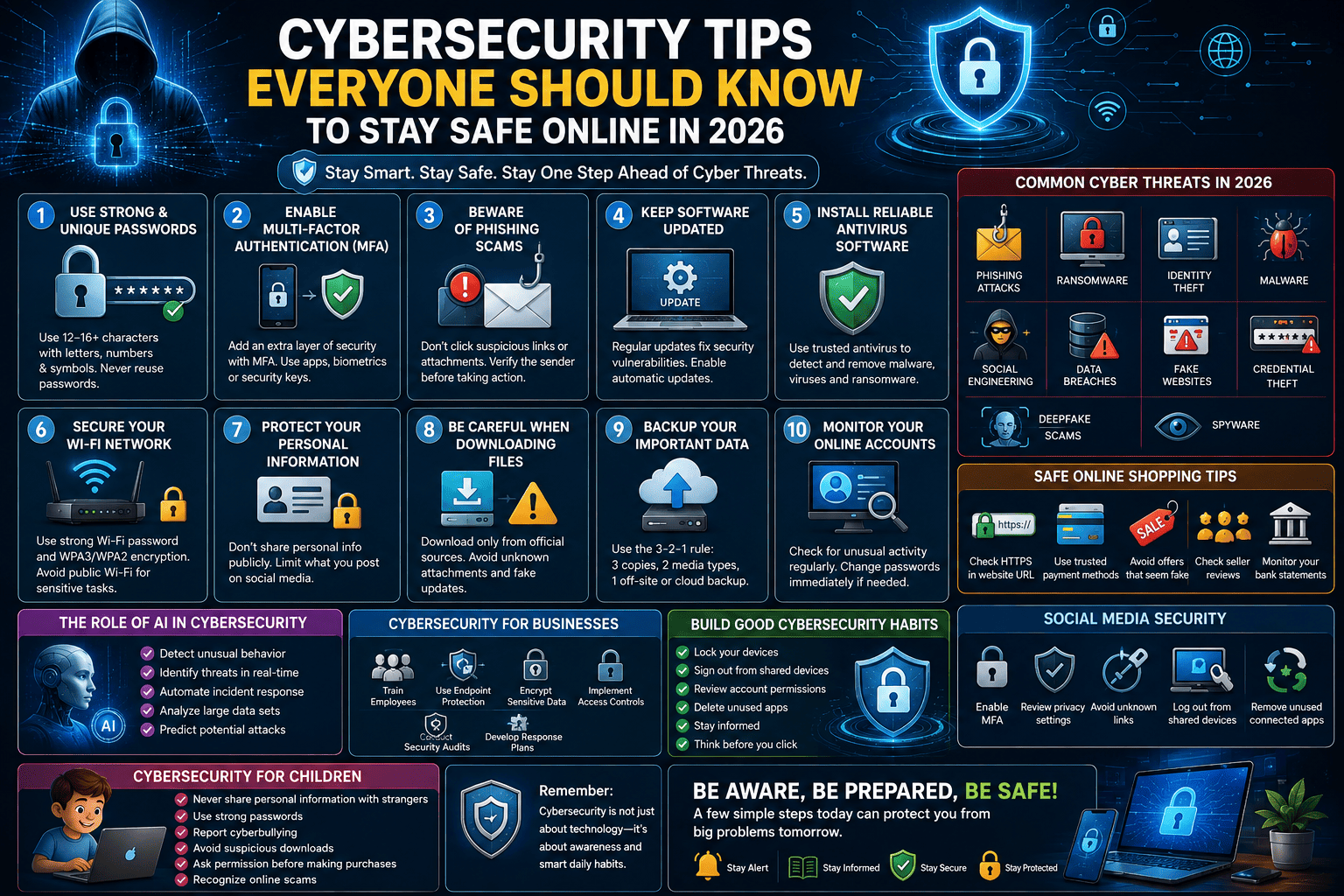
1. Use Strong and Unique Passwords
One of the simplest yet most effective ways to protect your online accounts is by creating strong passwords.
A secure password should:
- Be at least 12–16 characters long
- Include uppercase and lowercase letters
- Contain numbers
- Use special symbols
- Avoid personal information such as birthdays or names
Never reuse the same password across multiple websites. If one account is compromised, attackers could gain access to your other accounts.
Using a trusted password manager can help you generate and store unique passwords securely.
2. Enable Multi-Factor Authentication (MFA)
Multi-factor authentication adds an extra layer of security beyond your password.
When MFA is enabled, logging into an account requires two or more verification methods, such as:
- Password
- Authentication app
- Fingerprint
- Face recognition
- Security key
- One-time verification code
Even if a hacker steals your password, they will usually be unable to access your account without the second verification step.
3. Beware of Phishing Scams
Phishing remains one of the most common cyber threats.
Attackers often send fake emails, text messages, or social media messages pretending to be trusted organizations.
Warning signs include:
- Urgent requests
- Suspicious links
- Poor grammar
- Unexpected attachments
- Requests for passwords or banking information
Always verify the sender before clicking any links or downloading files.
4. Keep Software Updated
Software updates often contain important security patches.
Update your:
- Operating system
- Web browser
- Antivirus software
- Mobile apps
- Computer programs
- Smart devices
Enabling automatic updates helps protect against newly discovered vulnerabilities.
5. Install Reliable Antivirus Software
Antivirus programs help detect and remove malicious software before it can damage your device.
A quality security solution provides protection against:
- Viruses
- Malware
- Spyware
- Trojans
- Ransomware
- Suspicious downloads
Regular scans improve your device's security.
6. Secure Your Wi-Fi Network
Your home internet connection should always be protected.
Best practices include:
- Change the default router password
- Use WPA3 or WPA2 encryption
- Disable unnecessary features
- Update router firmware
- Hide unnecessary network sharing
Avoid using public Wi-Fi for sensitive activities such as online banking unless you use a trusted Virtual Private Network (VPN).
7. Protect Your Personal Information
Think carefully before sharing information online.
Avoid publicly posting:
- Home address
- Phone number
- Financial details
- Government identification
- Travel plans
- Personal documents
Cybercriminals often gather information from social media to launch targeted attacks.
8. Be Careful When Downloading Files
Only download software from official websites or trusted app stores.
Avoid:
- Pirated software
- Unknown email attachments
- Suspicious browser extensions
- Fake software updates
Always scan downloaded files before opening them.
9. Backup Your Important Data
Regular backups can save valuable information if your device becomes infected with ransomware or suffers hardware failure.
Follow the 3-2-1 backup strategy:
- Keep three copies of your data.
- Store backups on two different types of media.
- Keep one backup in a secure off-site or cloud location.
Test your backups periodically to ensure they can be restored successfully.
10. Monitor Your Online Accounts
Review your online accounts regularly for unusual activity.
Watch for:
- Unknown login attempts
- Unexpected password reset emails
- Unauthorized purchases
- Changes to account settings
- New devices connected to your account
If you notice suspicious activity, change your password immediately and contact the service provider.
Cybersecurity for Businesses
Organizations face increasingly complex cyber threats.
Businesses should:
- Train employees regularly
- Use endpoint protection
- Encrypt sensitive data
- Implement access controls
- Conduct security audits
- Develop incident response plans
Human error remains one of the leading causes of security breaches, making employee awareness essential.
The Role of Artificial Intelligence in Cybersecurity
Artificial Intelligence is becoming a powerful cybersecurity tool.
AI can:
- Detect unusual network behavior
- Identify malware faster
- Monitor security threats continuously
- Analyze large amounts of security data
- Automate incident response
- Predict potential cyberattacks
However, cybercriminals are also using AI to create more convincing phishing attacks and automated hacking tools, making cybersecurity awareness even more important.
Common Cyber Threats in 2026
Internet users should understand the most common threats they may encounter.
These include:
- Phishing attacks
- Ransomware
- Identity theft
- Social engineering
- Malware
- Spyware
- Data breaches
- Credential theft
- Fake websites
- Deepfake scams
Recognizing these threats is the first step toward preventing them.
Safe Online Shopping Tips
Online shopping continues to grow, making security more important than ever.
Before making a purchase:
- Verify the website address
- Look for HTTPS encryption
- Use trusted payment methods
- Avoid offers that seem too good to be true
- Check seller reviews
- Monitor your bank statements
Using virtual payment cards where available can provide an additional layer of protection.
Social Media Security
Social media accounts contain valuable personal information.
Protect your accounts by:
- Enabling MFA
- Limiting public profile visibility
- Reviewing privacy settings regularly
- Ignoring suspicious friend requests
- Avoiding unknown links
- Logging out from shared devices
Regularly review the apps connected to your social media accounts and remove those you no longer use.
Cybersecurity for Children
Parents should help children develop safe online habits.
Teach them to:
- Never share personal information with strangers.
- Use strong passwords.
- Report cyberbullying.
- Avoid suspicious downloads.
- Ask for permission before making online purchases.
- Recognize online scams.
Parental controls and open communication can help create a safer digital environment.
Building Good Cybersecurity Habits
Cybersecurity is not a one-time task—it is an ongoing practice.
Simple daily habits include:
- Lock your devices when not in use.
- Sign out of accounts on shared computers.
- Review account permissions.
- Delete unused apps.
- Stay informed about new cyber threats.
- Think before clicking links or downloading files.
Small actions taken consistently can greatly improve your digital safety.

You must be logged in to post a comment.